SCREENING API + COMPLIANCE DASHBOARD

Sanctions screening software
for your business.

Check customers and suppliers against sanctions lists. Review possible matches and save decisions. Start with 250 free live checks. No card needed.

Plans from $59/month for 5,000 checks each month. API and review dashboard included.

Your first 250 checks do not expire or reset each month.
Screening workspaceFictional example
  1. Screen
  2. Review
  3. Monitor

Vendor review

Northstar Example Trading

Potential match

A name match is a starting point.

Compare identifiers and source evidence before making a decision.

Source evidence
Ready to compare
Review decision
Awaiting review

Keep the evidence.
Record your team’s decision.

Illustrative workflow with fictional data.

Single & bulk sanctions screening

Review matches & save decisions

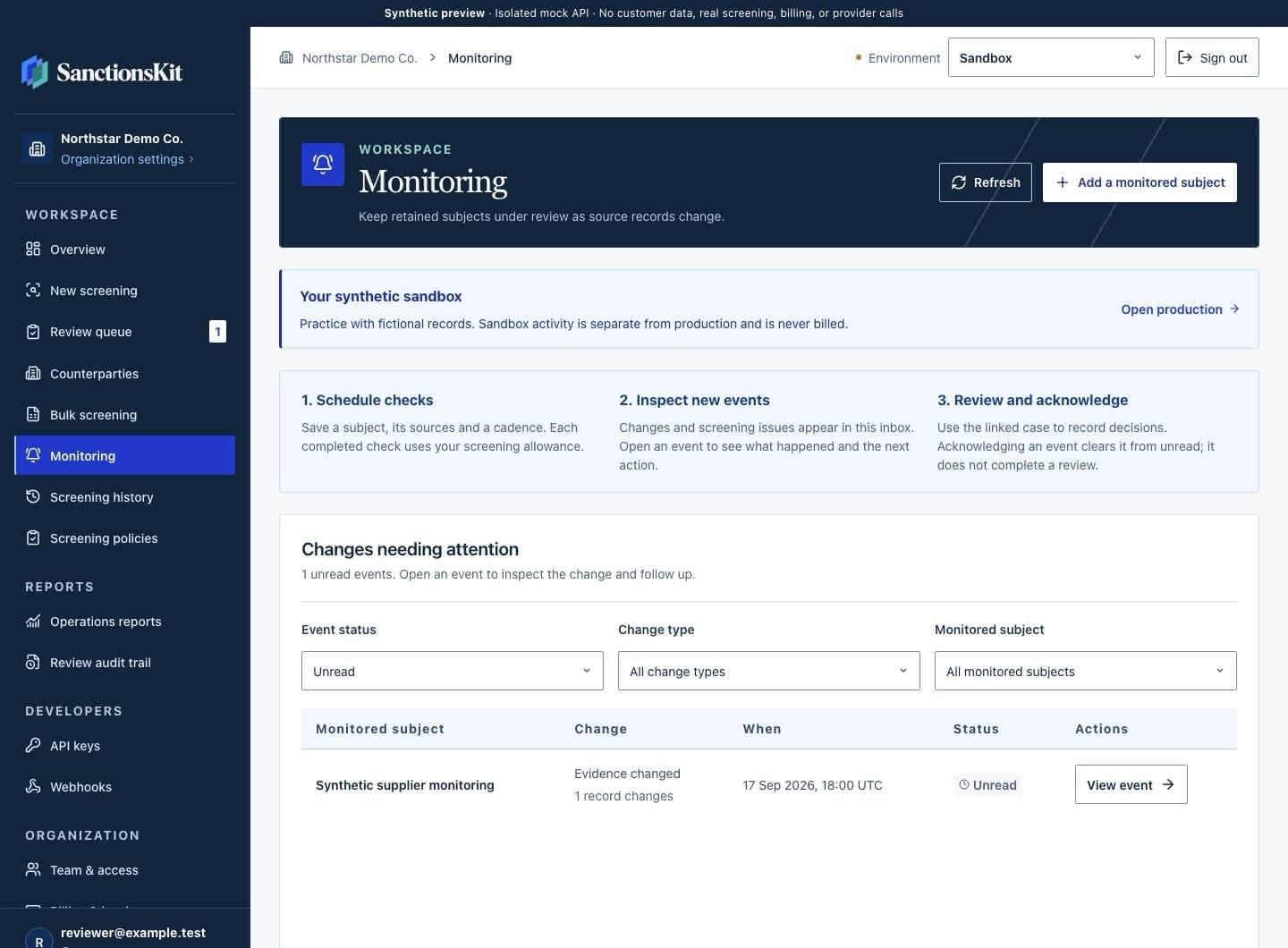
Ongoing monitoring

FROM CHECK TO DECISION

A clear next step for every check.

  1. Screen a customer or vendor

    Check one name, upload a list of names, or send checks from your app. Choose the sanctions lists your business needs to check.

    Screening API and dashboard
  2. Resolve potential matches

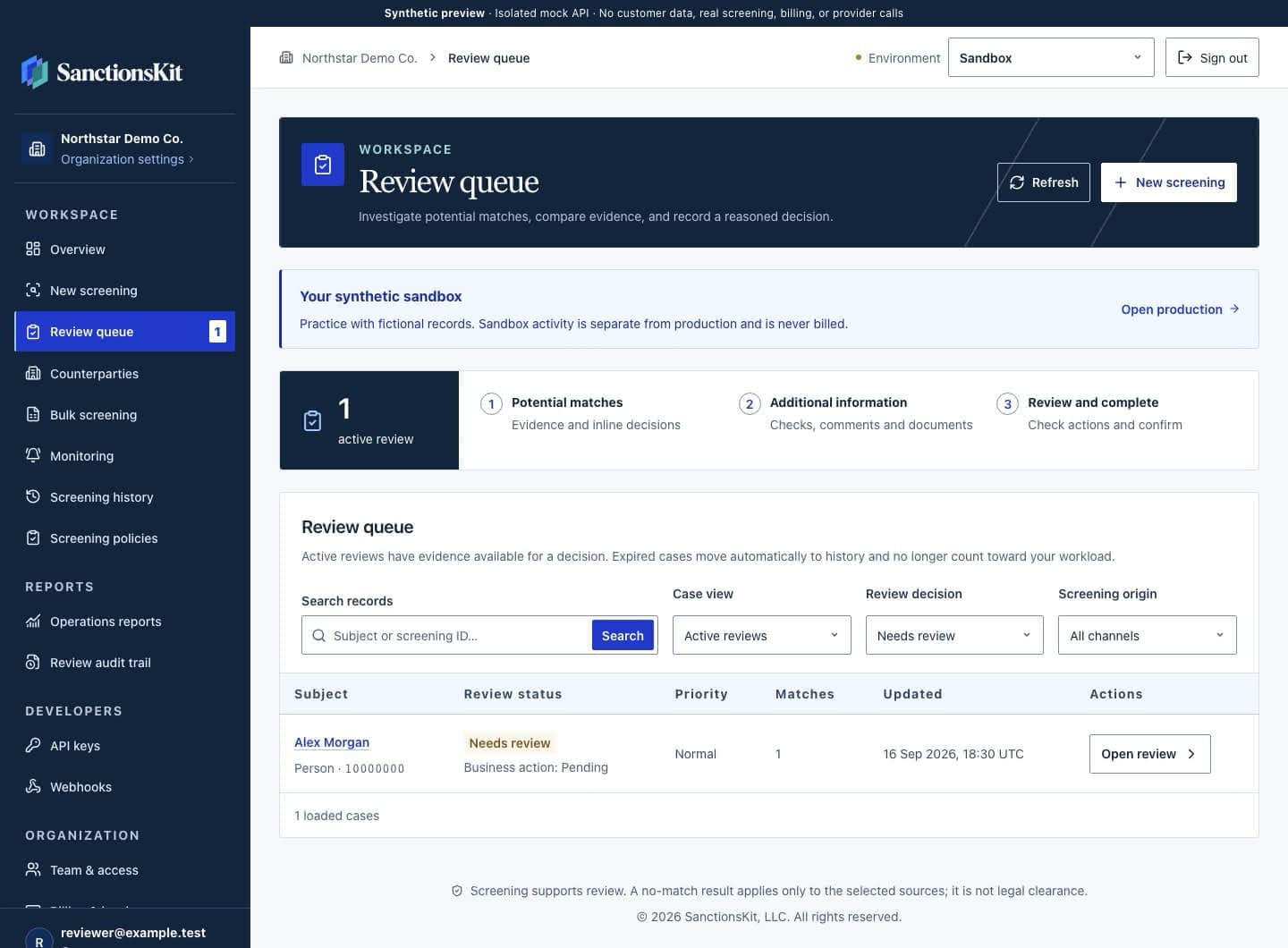
    A similar name needs a closer look. Compare dates, addresses and other details with the source record. Save what your team found and why it made a decision.

    Case review and evidence
  3. Keep up with changes

    Set up repeat checks for people and companies you work with. When evidence changes, your team can review it alongside the earlier checks.

    Ongoing monitoring

SEE THE WORKSPACE

From a potential match to a documented decision.

See how screening, review, and monitoring connect in the dashboard. Every plan includes the same workspace and API.

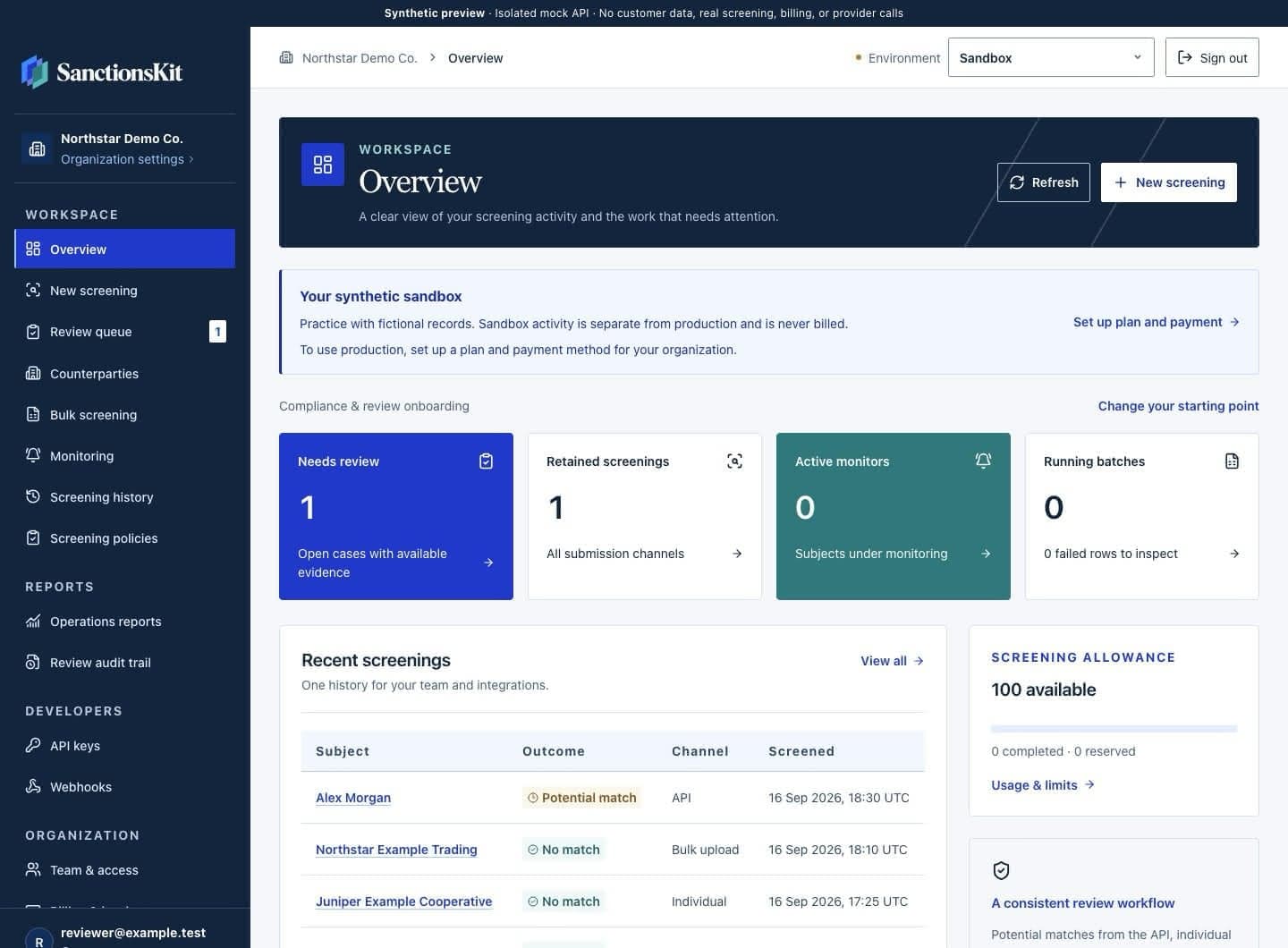
SanctionsKit dashboard with workspace navigation, review count, retained screenings and active monitors in a fictional sandbox organization.
Actual dashboard interface. Fictional sandbox data.

Keep your checks and reviews in one place.

See saved checks, cases waiting for review and active monitors together. Start a check in the dashboard or send it from your app through the API. Both routes save results in the same workspace.

  • Shared API and dashboard screening history
  • Individual checks and bulk uploads
  • Counterparties, team access, and API keys
Connect your application

Included together in every plan. Reviewing an existing result does not use another screening unit.

Try the interactive demo

CUSTOMER SCREENING, FROM START TO FINISH

Give your app a result. Give your team the evidence.

Imagine a payments team checking a new customer called Rowan Ellis. This is a fictional example. A list contains a similar name, so a reviewer needs to take a closer look. That name alone does not prove it is the same person. Here is how the team can work through the check and save each step.

  1. Engineering submits the check

    Send the customer’s details and choose the lists to check. The app needs a next step for each outcome: a possible match, no match, or a check that failed. Save the check’s reference number with the customer so your team can find it later.

    Inspect the API workflow
  2. A reviewer checks the possible match

    Compare the name, dates and other details with the original list entry. If a date is missing, it is still unknown. The reviewer records whether the entry is the same person, a different person, or needs more evidence. Their notes explain why.

    Follow the onboarding example
  3. Your team keeps the decision trail

    Deciding who matched is one step. Deciding what to do with the customer is another. Save both decisions and get any approvals your policy requires. Export the saved evidence when needed. If you need to keep checking the customer, set up monitoring.

    Explore saved evidence

KNOW YOUR COVERAGE

Start with the right sources.

Each list has a different purpose. Check who publishes it, what it covers and whether it is available before you use it. Your team’s policy should guide which lists you choose.

Browse available sources
Screening workspaceExample snapshot
Case review previewPotential match

Person · Public source record

Vladimir Vladimirovich PUTIN

Dataset
SDN
Publisher
U.S. Treasury OFAC
Snapshot date

Review the evidence behind the name.

Historical example. Open the source record to check current available evidence.

Review the source record

Available screening data

Available screening sources
91
Source records
248,457
View coverage

Database snapshot ·

This page refreshes daily. Check the snapshot time shown below. At the snapshot time, available sources met screening eligibility and freshness checks. Counts exclude unavailable adapters and reference profiles. Lists overlap. Source records are not unique people or organizations.

For the people building the integration

Make your first live request, or use the optional sandbox to test with made-up records.

API quickstartOFAC API guide

TRY IT WITH YOUR TEAM

See if SanctionsKit fits your team.

Check your sources, try a free live check and estimate your monthly cost.

Colleagues working together on laptops at an office table
Editorial photograph · Annie Spratt / Unsplash

BEFORE YOU START

Choosing sanctions screening software.

For plan allowances and billing details, compare pricing.

Who is SanctionsKit for?

SanctionsKit helps teams check the people and companies they do business with. For example, a payments firm might check a new customer, while a buyer checks a supplier. Staff can run checks and review matches in the dashboard. Developers can connect the API to an app. Your team still sets the rules for review and makes the final business and legal decisions.

What does sanctions screening software do?

It checks names and other details against the sanctions lists you choose. A result may flag someone with a similar name. Your team then checks the source record to see whether it is the same person or company. SanctionsKit keeps the check, review notes and decision together. You can also set up repeat checks. The software helps you review the evidence; a result alone does not give legal clearance.

Do I need a developer to use SanctionsKit?

No. Your team can run checks, upload lists, investigate matches, and manage monitoring in the dashboard. Every plan also includes the API when you want to connect screening to an application.

Can I try SanctionsKit before choosing a paid plan?

Yes. Your first workspace gets 250 free live screenings to use in the API or dashboard. This is one lifetime allowance, with no monthly reset. No credit card is needed. Check available sources, run a check, inspect a possible match and save a review. Choose a paid plan when you need more checks. The optional sandbox uses made-up records for testing.

How much does sanctions screening software cost?

Starter costs $59 per month, or $588 paid for a full year. The yearly option works out to $49 per month. It includes 5,000 completed checks each month, plus the API and dashboard. First-time checks, completed rows from uploaded lists and repeat checks all use that same allowance. There are no automatic charges for going over your limit. Use the pricing page to work out how many checks your team needs.

Does a no-match result mean a customer or supplier is cleared?

No. It means the details you sent did not return a possible match in the lists you chose at that time. You may still need to verify who the customer is, find out who owns a company or complete other checks under your policy. If a required source is unavailable, the check returns an error. That error must be resolved before you treat the check as complete.

What should I compare when choosing sanctions screening software?

Start with the lists your business needs to check. Then try a few test cases: a possible match, no match and a check that cannot finish. Look at what a reviewer can see, how they record a decision and who must approve it. Check how long evidence is kept and how the API handles errors. For cost, count repeat checks as well as new customers, and include the time staff spend on review.

Run your first live check for free.

Your first workspace gets 250 free live screenings. Use them in the API or dashboard. Check a name, review a match and save your decision. Opening a saved case or adding a review uses no extra checks. Your free checks do not expire or reset each month. No card needed.

250 free live screenings. One lifetime allowance. No credit card required.